
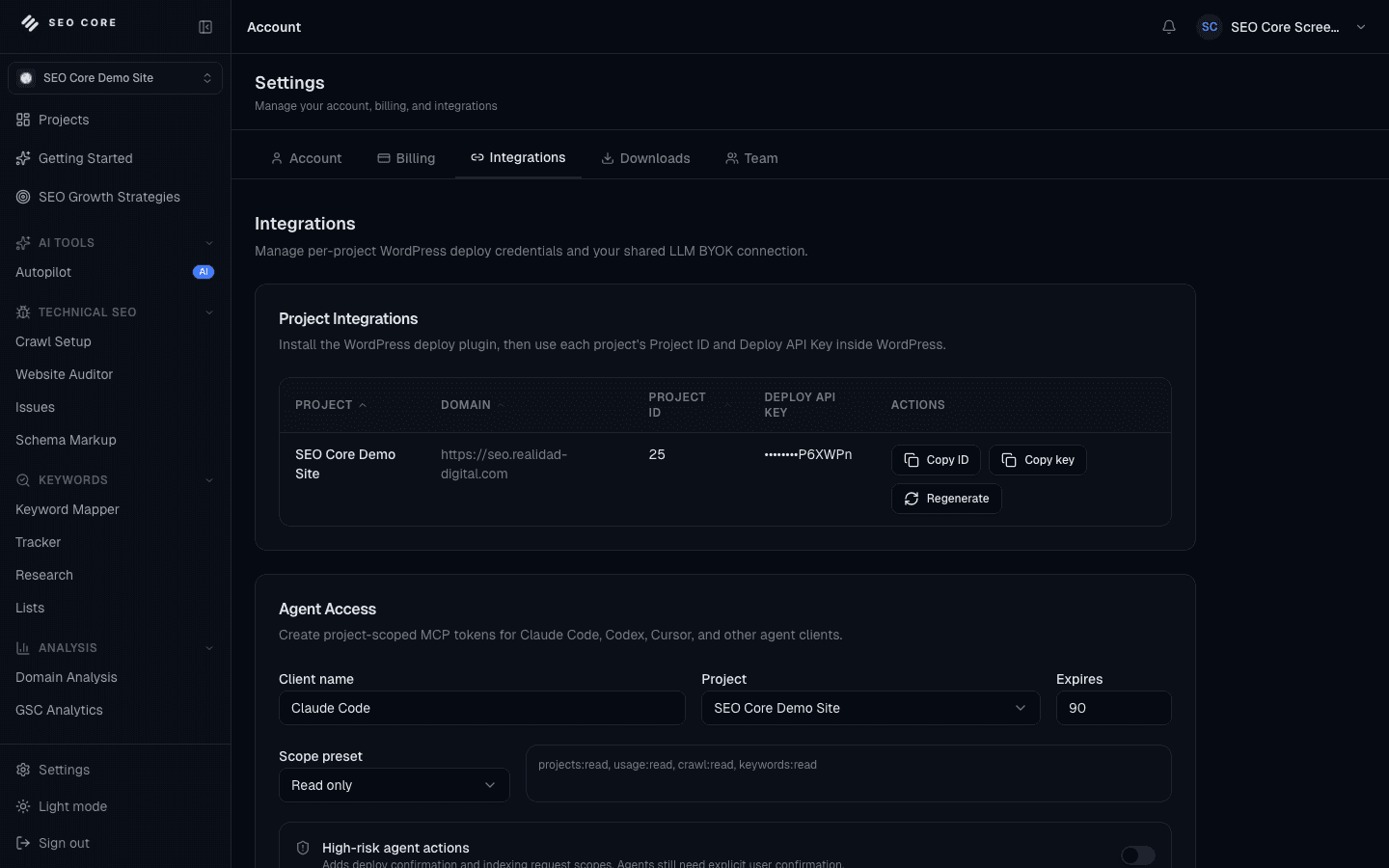
Create scoped access
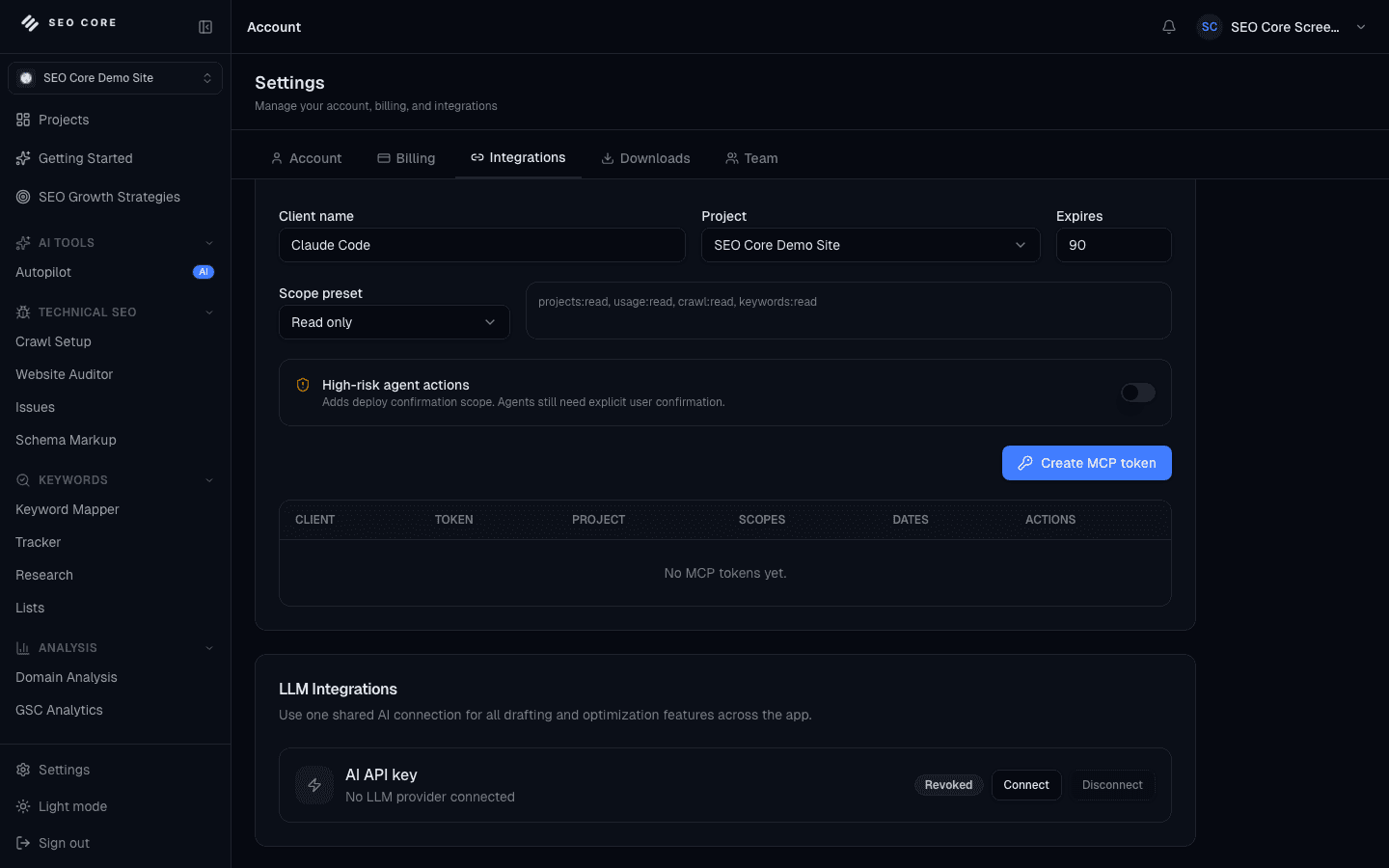
Generate Agent Access tokens with project-level permissions and start from read-only scopes.
SEO Core MCP Feature
Connect Agent Workflows to SEO Core with Scoped MCP Access
Give Claude Code, Codex, Cursor, and other MCP clients structured access to SEO Core context, local preflights, and guarded deploy workflows.
Bring trusted SEO Core data and controls into modern agent workflows.
Bring SEO Core context into your agent workflow while keeping project access, scopes, deploy proposals, and audit logs controlled by the platform.
Install the package, configure your client, and choose access scopes with the SEO Core MCP setup guide.
Generate Agent Access tokens with project-level permissions and start from read-only scopes.
Use the MCP package with Claude Code, Codex, Cursor, or another compatible client to expose trusted SEO tools.
Let agents inspect crawl issues, keyword mappings, project context, preflights, and reports through structured tools.
Deploy proposals, indexing requests, and updates require the right scopes, explicit confirmation, and backend audit logs.
SEO Core MCP
Built to help teams move with confidence while strengthening growth consistency.
SEO Core MCP creates more value when your team can scale collaboration, execution pace, and visibility together. Compare plans to pick the setup that fits your next growth stage.
Compare PlansExpose project, crawl, keyword, report, and preflight context through structured MCP tools.
Use project-bound Agent Access tokens so each client receives only the capabilities it needs.
Combine local preflight checks with production-verified SEO Core data for better agent decisions.
Let agents create deploy proposals while confirmation and high-risk actions stay controlled.
Keep MCP activity visible through backend permissions, scopes, and action logs.
Connect SEO Core to Claude Code, Codex, Cursor, and other MCP-compatible workflows.
How This Feature Benefits Your SEO Workflow
External agents can move fast, but generic access to SEO data can create security, context, and deployment risks.
SEO Core MCP gives agents structured access to project context, local preflights, crawl issues, keywords, deploy proposals, and audit trails while preserving scope controls and confirmation gates.
Let agents create deploy proposals while confirmation and high-risk actions stay controlled.
Keep MCP activity visible through backend permissions, scopes, and action logs.
Connect SEO Core to Claude Code, Codex, Cursor, and other MCP-compatible workflows.
SEO Core MCP
Every feature is part of one connected growth workflow. Explore each section to see how the full system works together.
SEO Core MCP creates more value when your team can scale collaboration, execution pace, and visibility together. Compare plans to pick the setup that fits your next growth stage.
Discover and prioritize search opportunities before execution starts.
Explore Keyword ResearchCombine GSC and SERP evidence to see where a domain can grow next.
Explore Domain AnalysisConnect keywords to URLs with a cleaner on-page targeting plan.
Explore Keyword MapperFind overlapping URLs and protect important pages from competing with each other.
Explore Cannibalization AnalysisTrack movement and performance to keep priorities evidence-based.
Explore Keyword TrackerSurface technical blockers that can affect crawlability and indexation.
Explore Website AuditorCentralize SEO problems so teams can resolve high-impact items first.
Explore IssuesImprove structured data coverage to support richer search visibility.
Explore Schema MarkupImprove pages with focused content guidance, SERP context, and optimization drafts.
Explore Content EditorPackage technical and performance progress into stakeholder-ready SEO reports.
Explore Technical ReportsShip SEO changes with controlled rollouts and clear version history.
Explore DeploymentsAccelerate SEO production with guided AI support across workflows.
Explore AI IntegrationTurn crawl, keyword, and deployment context into guided next actions.
Explore AI SEO AutopilotConnect trusted agents to SEO Core data, tools, and guardrails.
Explore SEO Core MCPSEO Core MCP
SEO Core MCP is a Model Context Protocol server that lets compatible agent clients access SEO Core project context, tools, and workflow guardrails.
It is designed for MCP-compatible clients such as Claude Code, Codex, Cursor, and similar local agent workflows.
Agents can read project context, inspect crawl and keyword data, run local preflights, answer SEO questions, and prepare deploy proposals when the token has the right scopes.
Access is controlled through scoped Agent Access tokens, project permissions, tool scopes, backend plan checks, and audit logs.
No. High-risk actions such as deploy confirmation require explicit scopes and confirmation, and proposal creation is separate from final deployment.
Local tools are limited to the current workspace and are designed for preflight evidence. Secret-like files and unsafe paths are blocked.
Create an Agent Access token inside SEO Core, install the SEO Core MCP package, and follow the setup guide for your preferred client.
SEO Core MCP
Use SEO Core MCP to strengthen your growth engine and help every team execute with clearer direction.