
You want a cloud workspace
Crawls can run on demand or on a recurring schedule, and the results stay attached to the project instead of a laptop or a local export.
Entry-level SEO suite
Keyword ideas are the cheapest part of SEO. They are also where most tools stop.
SEO Core App covers research, auditing, and rank tracking, then adds the step almost nothing in this price bracket does: publishing the change to the live page, versioned and reversible.
Written by Guillermo Velez Sanchez · Last reviewed September 7, 2026
The SEO Core App workflow
Most SEO work starts in one tool and finishes somewhere else. You find a problem in a crawl, copy the URL into a spreadsheet, write a recommendation in a document, and wait for somebody with access to the site to make the change.
SEO Core App keeps those steps together. It gives you a project for the site, a crawl that explains what needs attention, keyword and content workflows that add context, and a deployment history that makes the final change easy to review.
That is the difference these comparisons are really about. The individual tools still matter, but the useful question is what happens between finding an opportunity and seeing the improvement on the live page.
Start with the wider choice
Searching for an alternative usually means you are comparing more than a feature list. You are deciding how much technical depth you need, where the work should happen, and whether the tool can help you finish the job after the audit.
Here is the short version before we get into the details. SEO Core App is built for the full workflow. Ubersuggest may be the better fit when its particular specialty is the part of SEO you spend most of your time doing.
| Tool | Best known for | Cloud and technical work | Keywords, content, and deployment |
|---|---|---|---|
| Ubersuggest | Entry-level SEO suite | Health score and issue list | Volume, difficulty, and suggestions |
| Screaming Frog | Desktop site crawler | Your desktop, while the app is open | Not included |
| Surfer SEO | Content optimization tool | Technical analysis | Yes, central to the workflow |
| SE Ranking | All-in-one SEO platform | Scheduled crawls with scored health | Volume, difficulty, and competitor keyword data |
| SEO Core App | SEO execution platform | Cloud audits, issues, and technical context | Research, mapping, content, deployment, and tracking |
Why teams look elsewhere
There is rarely one reason to compare tools. Sometimes the desktop setup has become a bottleneck. Sometimes the data is useful but the next action is still unclear. And often, the team already knows what should change but has no clean way to get it live.
SEO Core App is designed for those moments. It keeps the evidence close to the decision, then keeps the decision close to the work that follows.
Crawls can run on demand or on a recurring schedule, and the results stay attached to the project instead of a laptop or a local export.
The goal is not to hide technical detail. It is to group the findings, explain the next step, and make the important work easier to see.
Keyword Research, Keyword Mapper, Search Console data, and rank tracking give the page a reason to matter, not just a list of technical conditions.
The practical path is find, understand, prioritize, edit, approve, deploy, and track. That is the part a standalone crawler cannot complete.
The full loop
The strongest reason to consider SEO Core App is not that it has another crawl screen. It is that the crawl is one step in a longer process. Search demand gives the page context, the audit shows what is wrong, and the deployment history keeps the change safe.
Imagine a page that receives impressions for a valuable query but sits around position 14. The useful work is not finished when someone notices the opportunity. It continues until the right URL is mapped, the page is improved, the change is published, and the result is visible in tracking.
Step 1
Find queries and opportunities that match the business, not just a large list of keywords.
Step 2
Give each important query a clear URL so pages do not compete with one another.
Step 3
Check the page, its metadata, headings, links, indexability, and structured data.
Step 4
Use the available evidence to decide which issue or opportunity deserves attention first.
Step 5
Edit titles, descriptions, headings, content, internal links, or schema in context.
Step 6
Review the change, publish it through the connected deployment method, and keep the version.
Step 7
Follow the URL and keyword after the change so the work has a measurable next step.
That is why SEO Core App is better described as an SEO execution platform than as another crawler. The value is in keeping the steps connected so the last mile does not disappear into a spreadsheet, a document, or a developer queue.
A practical buying question
Pricing makes more sense when you compare the way each product is packaged, not just the number on a plan page. A desktop crawler is usually bought for the depth and control of its audit. A cloud platform is bought for the connected work around the audit.
Ubersuggest is a focused choice when you mainly need its core entry-level seo suite capabilities. SEO Core App is a broader SaaS workspace that combines auditing, keyword workflows, content improvements, reporting, and controlled deployments. The right model depends on whether your cost is the crawl itself or the time spent moving from a finding to a finished change.
SEO Core App paid plans currently start at $15 per month for Basic, followed by Starter at $39.99, Middle at $119.99, and Elite at $299.99. The plan page has the current capacity for projects, keywords, research, AI, and deployments, so it is the right place to check before choosing a tier.
You need its specialist capability often enough to justify the separate workflow, and you already have a reliable way to handle recommendations, publishing, reporting, and measurement.
You want one project to hold the research, URL ownership, crawl evidence, content work, deployment history, and tracking that turn SEO recommendations into completed work.
A concrete example
Imagine Search Console shows that one of your pages is getting impressions for “technical SEO audit software,” but the page is hovering around position 14. The opportunity is visible, but a ranking number alone does not tell the team what to do next.
In SEO Core App, the query, URL, crawl evidence, content work, deployment, and tracking can stay connected. That makes the example below a workflow the team can actually finish, rather than a recommendation that waits in a report.
Search Console shows the impressions, clicks, and position for the query. You can start with real performance from your own property.
Keyword Mapper associates the query with the URL that should own the intent, making the page's job explicit.
The crawler checks the title, description, headings, indexability, links, content, and structured data around that URL.
The team can see whether the query is missing from an important field, whether another URL competes with it, or whether the page needs clearer content.
Use the Content Editor or the page workflow to improve metadata, headings, content sections, internal links, or schema with the page context nearby.
Review the change, publish it through the connected deployment method, keep the version history, and track the URL and keyword after Google processes the update.
Free access
SEO Core App has a Free offer for teams that want to test the workflow on a real site before paying for more capacity. It includes one project, on demand Website Auditor, Google Search Console integration, saved and tracked keywords, and limited title and description deployments. No credit card is required.
The Free plan is deliberately sized for a focused first project, with a 500 page crawl ceiling and smaller keyword and deployment allowances. If you are evaluating a larger site or managing several projects, the paid plans add capacity instead of changing the basic workflow. You can review the current offer and limits before creating an account.
Choose by situation
The best choice depends on the work you need the tool to support every week. A technical specialist may value control above everything else. A marketing team may value a clear path from a search opportunity to a published page.
Use the examples below to recognize your own situation, then read the focused comparison sections for the tradeoffs that matter to you.
Choose the tool that matches the audit. A highly configurable desktop crawler makes sense when custom extraction and forensic work are the deliverable. SEO Core App fits when you also own the path from recommendation to implementation.
Persistent projects make it easier to keep audits, keyword maps, content work, client reporting, and deployment history together instead of rebuilding the context for every meeting.
SEO Core App is useful when the problem is not finding another issue. It is getting the issue reviewed, fixed, published, and checked without waiting for a new handoff every time.
Keep a specialist crawler when XPath, regex, log files, or unusual crawl controls are central to the work. Add SEO Core App when the team needs a governed route from findings to live changes.
A connected workflow helps when you want fewer exports and clearer next steps. The product can show what needs attention, explain why it matters, and give you a way to move the fix forward.
Short and blunt
If you are deciding whether to change tools, start with the practical difference. The comparison below puts SEO Core App's workflow next to the capability you may already use, so you can see where the extra context and execution support will matter to your team.
The fit question
No SEO platform is the right answer for every team. The useful question is whether the way you work today is being held back by the crawl, by the handoff after the crawl, or by the lack of a shared place to keep decisions and changes together.
Ubersuggest is better at
Getting a beginner from zero to a keyword list and a site score in an afternoon, at a price that barely registers, with backlink and traffic estimates included.
SEO Core App is better at
Everything after the list, including deciding which URL owns which intent, ordering the technical backlog by impact, and publishing the change to the live site.
Switch if
You have plenty of keyword ideas and a site that has not measurably changed in six months.
Stay put if
You are still learning, you need traffic and backlink estimates for prospecting, and the lowest possible price is the deciding factor.
A focused comparison
It is easy to be dismissive about an entry-level tool. It solved a real problem: professional SEO data used to be unaffordable for small sites.
It made keyword and audit data available to people who were never going to buy an enterprise seat, and that genuinely changed who could do SEO.
You can get a keyword list and a site audit on your first session without reading documentation. That matters more than tool reviewers admit.
Link data and traffic estimation are included. We have neither, so on this row it simply wins.
For a small site with no SEO process at all, having research, audit, and tracking in one cheap product is a reasonable first step.
Why teams choose SEO Core App
SEO Core App assumes the keyword list is the beginning of the job rather than the deliverable.
Keyword Mapper assigns intent to a specific page, and URL suggestions draw on crawled page data and Search Console query matches to propose where a keyword should live.
Cannibalization analysis finds pages competing for the same intent before it turns into an unexplained ranking plateau.
Issues are grouped and scored by likely impact instead of arriving as a long undifferentiated list with a score at the top.
Recurring page speed lists track scores over time per URL and strategy, and email you when a page degrades against its previous result.
See it in the product
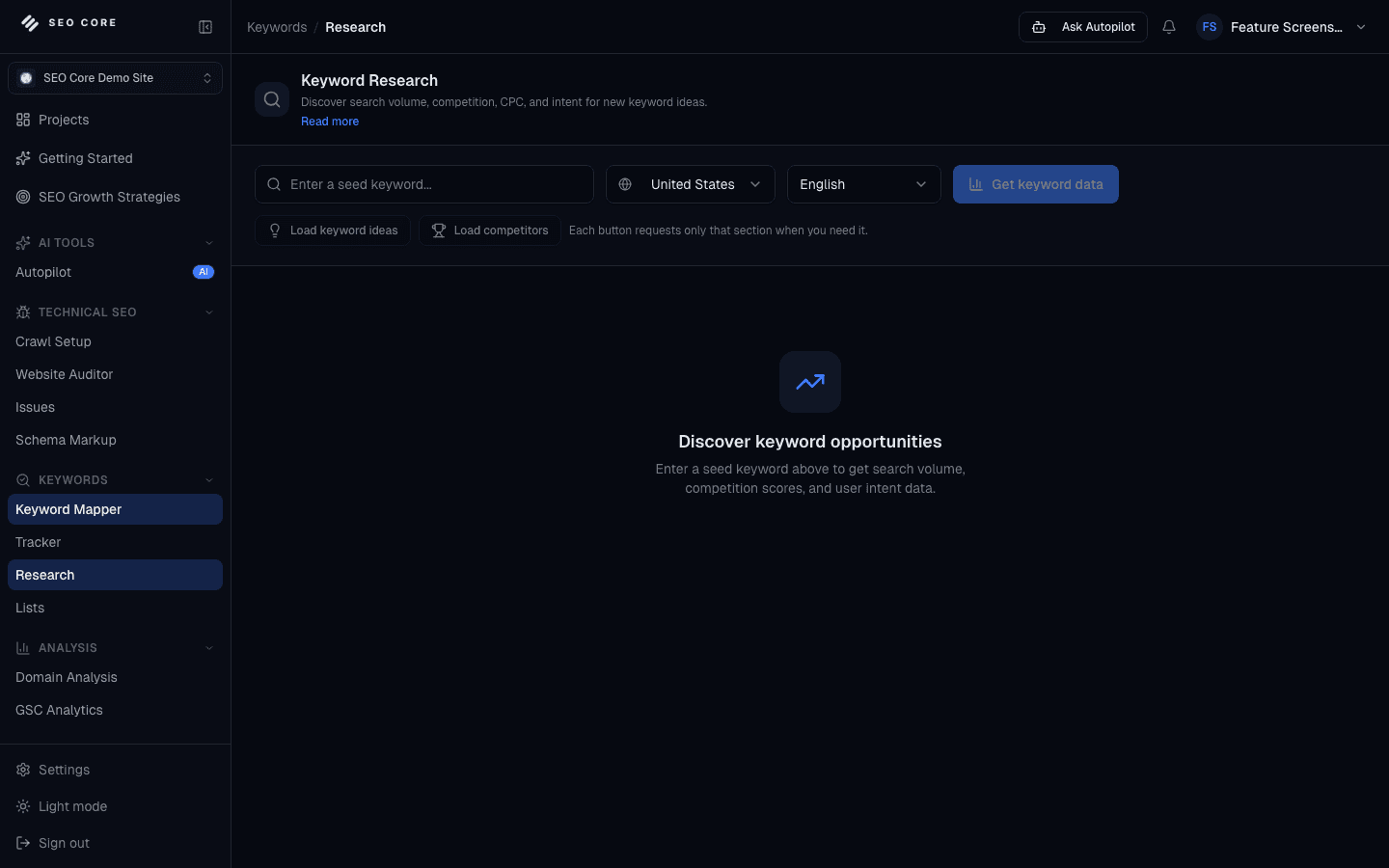
The product is easier to understand when you can see where the work happens. These are the parts of SEO Core App that support the workflow described in this article.
Move from keyword discovery to decision-ready opportunities faster.
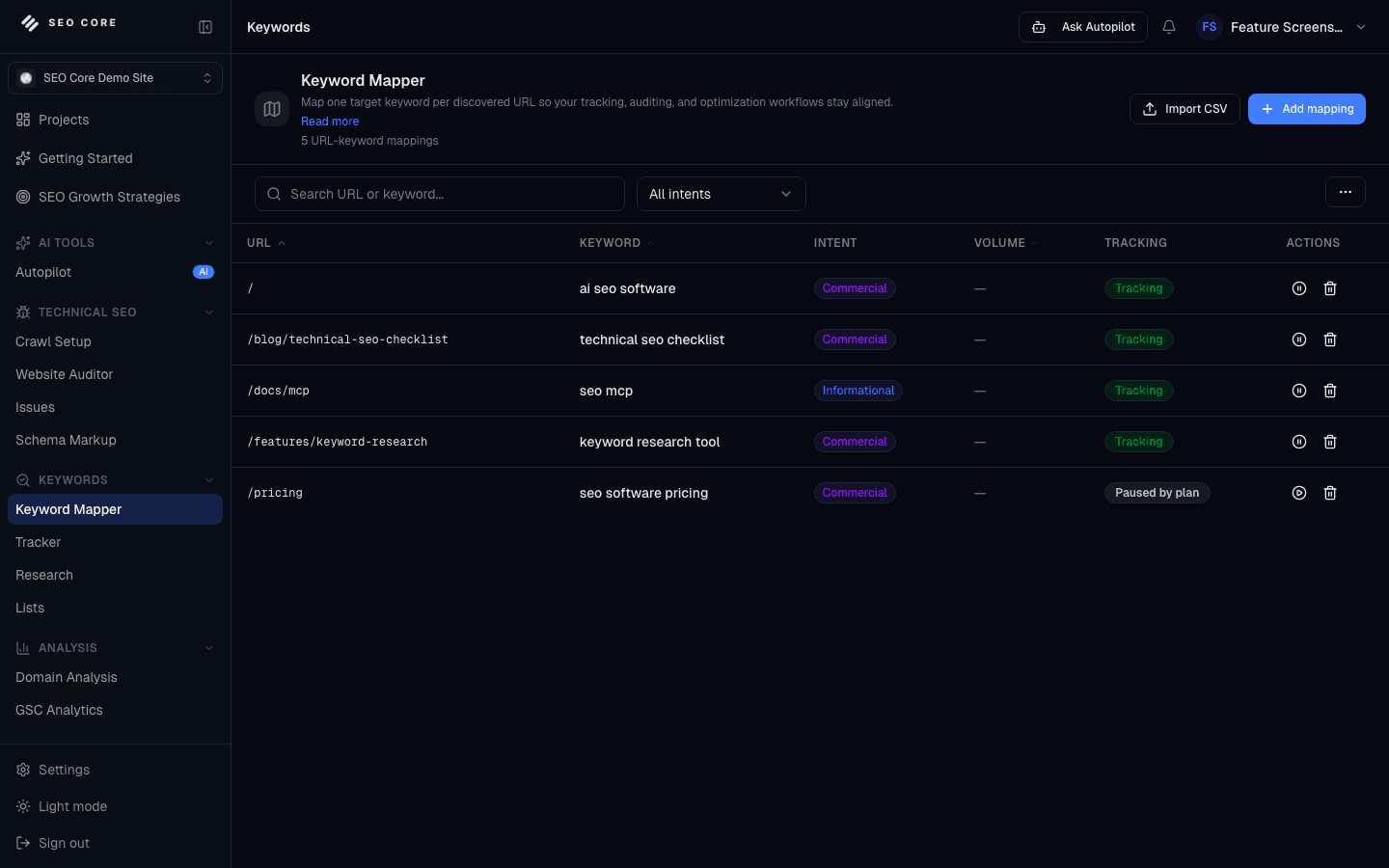
Connect search opportunities to the right URLs before execution starts.
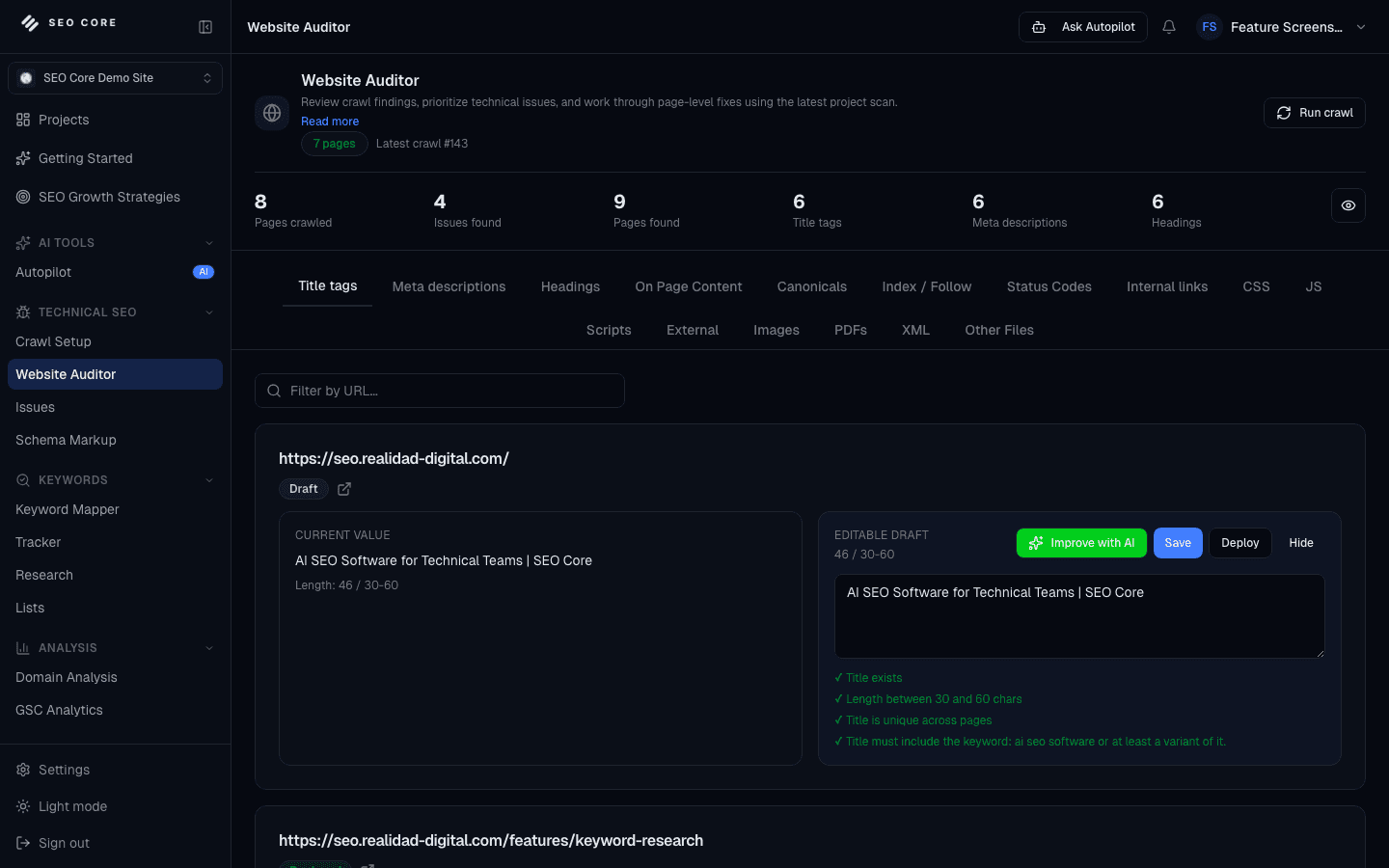
Crawl pages, review issues, and move from technical findings to safe execution.
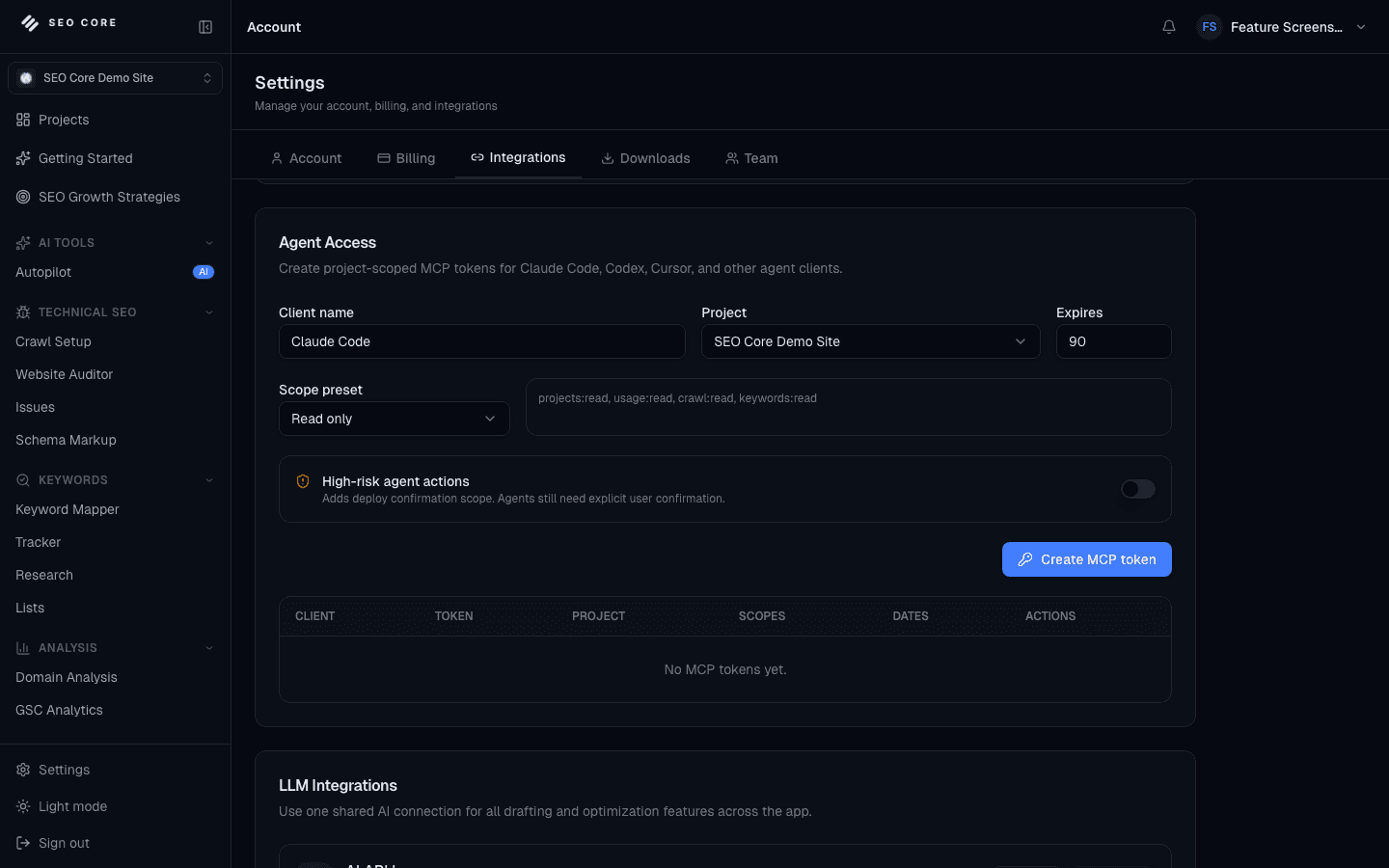
Edit SEO content with guidance that connects search intent, page context, and deployment.
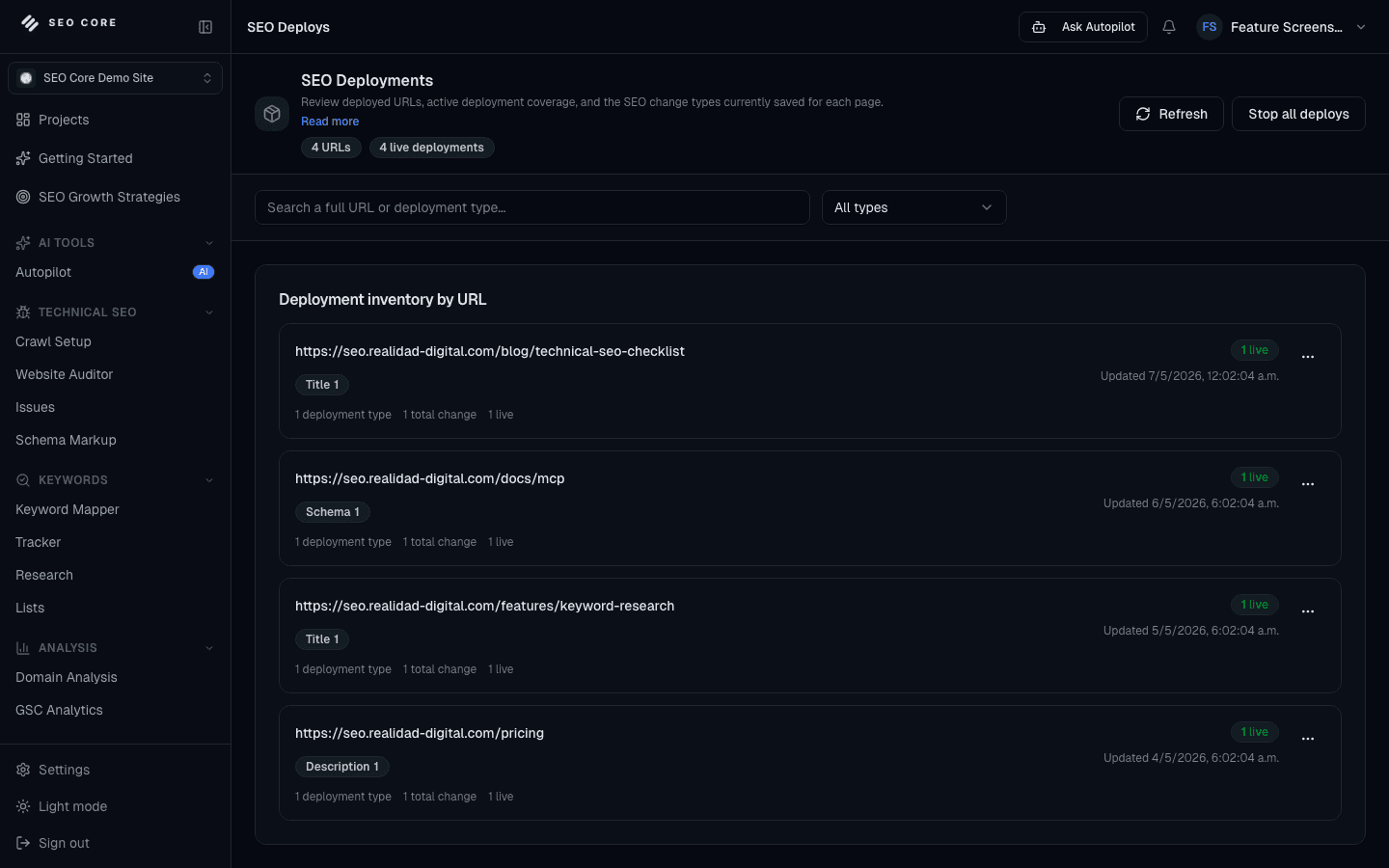
Move SEO updates live without losing governance or visibility.
The uncomfortable truth
Nearly every tool in this bracket ends at a recommendation. SEO Core App installs a deployment layer on your site so the recommendation can become the live page.
JavaScript snippet
One script tag in the page head. Works with any site, CMS, or page builder, and it is the fastest route to a first deploy.
WordPress plugin
Server-side deployment inside WordPress. Changes land in the raw HTML output, so nothing depends on JavaScript running.
Node.js middleware
Middleware for Express, Fastify, and Next.js apps, with server-side rendering and real-time push sync.
Once connected you can publish title tags, meta descriptions, H1 to H6 headings, on-page content blocks, canonical tags, and JSON-LD schema. Every deployment is versioned, can be verified against the live HTML, and can be paused or rolled back. That makes it safe to use instead of a feature you admire and never touch.
Read the deployment documentationReality check
The overlapping rows, plus the two where Ubersuggest wins outright.
This is where the products stop looking interchangeable. A crawl or content score can point to a problem, but the team still needs context, a decision, a change, and a way to learn from what happened next. SEO Core App keeps those steps in the same project.
| Workflow step | Ubersuggest | SEO Core App |
|---|---|---|
| Crawl or analyze the page | Health score and issue list | Website Auditor and page evidence |
| Prioritize the opportunity | Health score and issue list | Issues grouped by impact and project context |
| Research and map the keyword | Volume, difficulty, and suggestions | Keyword Research, Keyword Mapper, and Search Console |
| Edit the title, content, or schema | Basic suggestions | Content, metadata, headings, and schema workflows |
| Publish the approved change | Not included | Connected deployment with review and version history |
| Track what changed | Separate reporting or tracking | Rank tracking, reports, verification, and rollback |
| Capability | Ubersuggest | SEO Core App |
|---|---|---|
| Keyword ideas and metrics | Volume, difficulty, and suggestions | Volume, difficulty, CPC, competition, and intent, cached per location |
| Backlink data | Included | Not included |
| Traffic estimates | Included | Not included. Search Console is used as first-party evidence instead |
| Site audit | Health score and issue list | Scheduled crawls with impact-scored issue queues |
| Keyword to URL mapping | Not included | Keyword Mapper with URL suggestions |
| Cannibalization detection | Not included | Dedicated analysis of competing URLs |
| Content optimization | Basic suggestions | Content Editor with awareness stages and heading templates |
| Publishing changes | Not included | Snippet, WordPress plugin, or Node middleware, versioned |
The honest column
Two of these are the reasons plenty of people keep Ubersuggest open in another tab.
This is the part worth reading before you switch. A broader workflow is useful only when it still fits the work you need to do, so these limits are here to make the decision easier, not to bury the tradeoff.
Backlink data
No link index, no backlink checker, no link-based authority metric of any kind.
Traffic estimation
We do not model traffic for domains you do not own. For your own sites, Search Console data replaces the estimate with the real number.
Browser extension
There is no on-SERP extension for checking metrics while you browse.
A single low entry price point
This is a workflow platform with a deployment layer attached, and it is priced as one.
Genuinely
A good alternative page should also help you avoid a bad switch. If your weekly work looks like one of the situations below, the specialist tool may still be the more sensible choice.
Week one
Moving to a new SEO tool does not need to mean rebuilding your whole process in one day. Start with one project, bring in the evidence you already trust, and use the first workflow to decide what should become part of your regular routine.
Step 1
Crawl before you research
Knowing what pages you already have changes which keywords are worth chasing.
Step 2
Connect Search Console
Real queries and impressions beat estimates for any site you actually own.
Step 3
Map your keywords to URLs
Decide page ownership now, and cannibalization stops being a mystery later.
Step 4
Install the deployment layer and ship one fix
One deployed title change, verified on the live page, tells you more about the tool than a week of reading reports.
Explore the product
Every capability referenced above has its own page. Start from the SEO Core App homepage for the overview, browse all features, or check what each plan includes on pricing.
Fair questions
These questions usually come up after someone understands the product difference but before they commit to changing a working process. The answers are specific to the workflow on this page and are meant to help you make a practical call.
No, and it would be a poor trade if it were. The research surfaces overlap, but the reason to move is the workflow after research: keyword-to-URL mapping, an impact-ordered issue queue, and a deployment layer that publishes the change to your live pages.
Yes. We have no link index at all. If backlink checking is part of your routine, you will need to keep a tool that provides it.
For sites you own, we connect Google Search Console and use real query, impression, and URL data. For sites you do not own, we do not estimate traffic at all.
One installation on your site: a script tag in the head, a WordPress plugin, or Node middleware for Express, Fastify, or Next.js. After that, changes publish from the app.
It is more opinionated, not more complicated. The workflow is crawl, map, fix, deploy. A small site tends to get through that faster than a large one.

Who wrote this comparison
Technical SEO, keyword strategy, automation, and AI-driven search visibility.
A lot of small sites I have looked at were not held back by their keyword research. They were held back by nobody ever changing the pages. That is the gap this comparison is about.
A decade working in SEO across agency and client projects, focused on turning strategy into real, measurable results. Builds scalable processes, experiments with automation and AI, and approaches SEO with a strong execution mindset. Writes about technical SEO, keyword strategy, and practical ways to grow visibility across search engines and emerging AI-driven platforms.
SEO Core App
Map what you have, fix what is broken, and publish it without a handoff.
Ubersuggest and all other product names, logos, and brands are the property of their respective owners. SEO Core App is not affiliated with, endorsed by, or sponsored by Ubersuggest. Comparisons describe capabilities at the time of review and are based on publicly available information.